
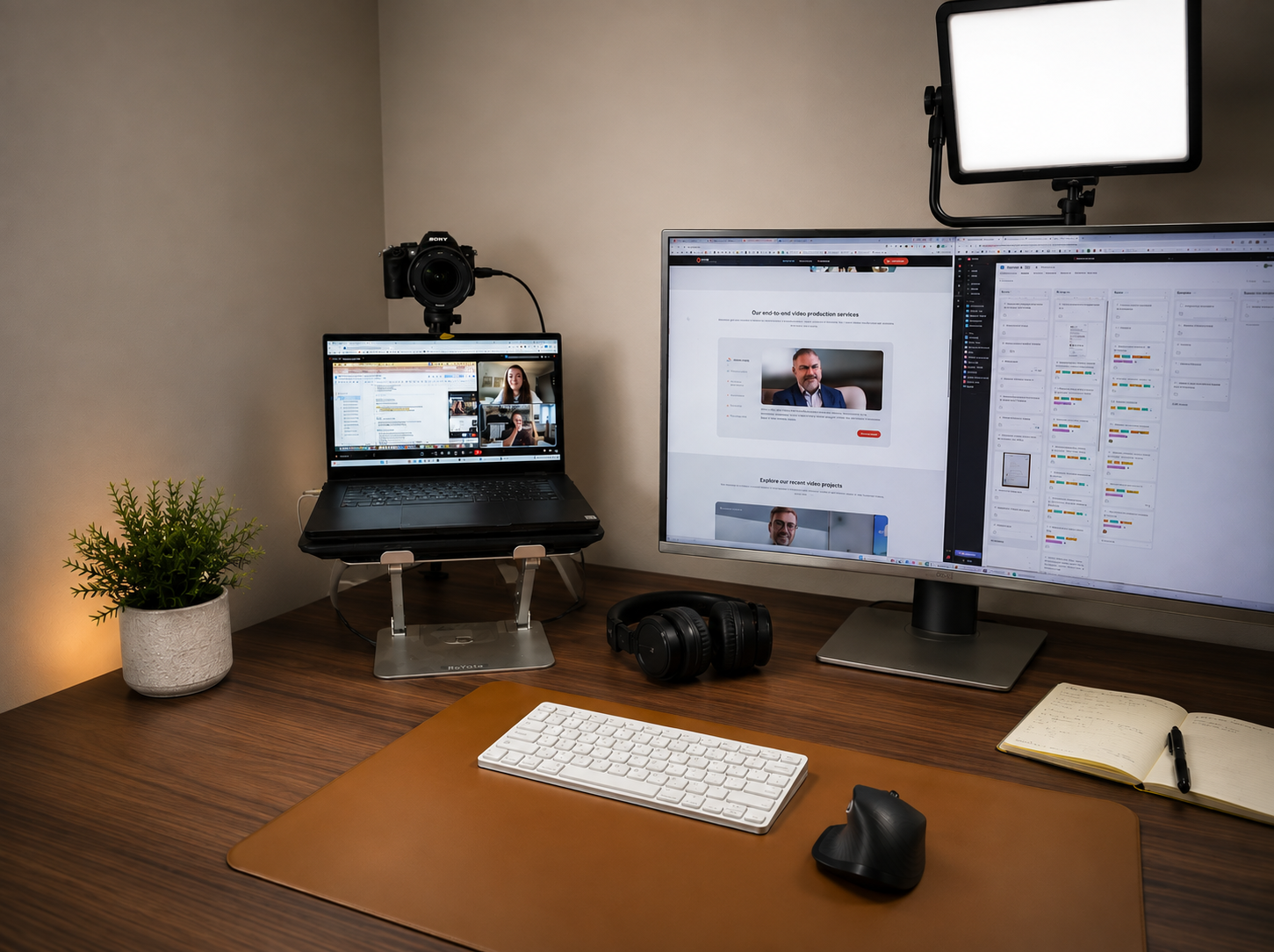
Your camera, lighting, audio, and background might be saying more about your business than you realize.
How often do you jump on a Google Meet or Zoom call with a potential client? For many businesses, video calls have become a normal part of the sales process. You might use them for an initial introduction, a discovery call, a proposal, or simply to build a relationship with someone who could become a customer. But while you're thinking about what you're going to say, there's something else happening.
Your potential client is also experiencing how you present yourself on screen. Your lighting. Your framing. Your background. Your camera quality. Your audio. None of these things will necessarily win or lose a client on their own. But together, they contribute to the overall impression of your business. And research suggests that the way we experience video calls can have a bigger impact than we might think.
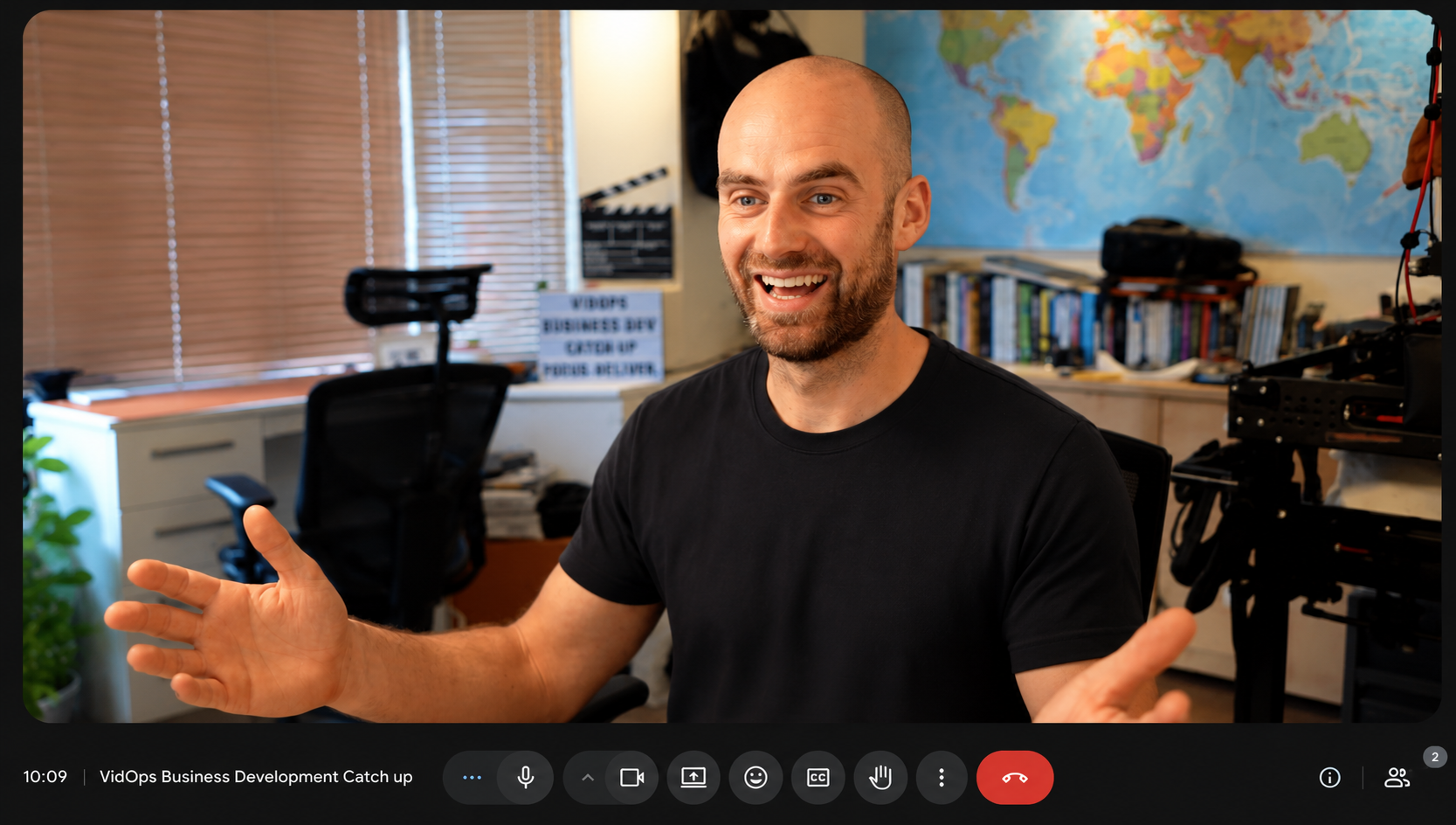
Video conferencing seems simple. You sit down, turn on your camera, and have a conversation. Except your brain doesn't necessarily experience it that way. Stanford communication professor Jeremy Bailenson has researched what became known as "Zoom fatigue," identifying several characteristics of video calls that can make them unusually demanding. One is the amount of eye contact. In a normal conversation, you naturally look away, take notes, glance around the room, or shift your attention. On a video call, you're often looking directly at a grid of faces for an extended period of time.
Bailenson describes this as "excessive amounts of close-up eye contact" and argues that it can make video conversations more intense than normal interactions. Then there's the fact that you're often watching yourself at the same time. As Bailenson puts it, having your own video visible throughout a meeting is like "somebody was following you around with a mirror constantly." That constant self-view can make us more aware of how we look, how we're sitting, and what we're doing while we're trying to concentrate on the conversation.
And there's another issue: movement. When you're sitting across from someone in a meeting room, you can naturally move around. On a video call, you're expected to stay within a relatively small frame. All of this adds up. Stanford researchers have described this increased effort as "nonverbal overload", essentially, having to work harder to communicate and interpret communication through a screen. So if video calls sometimes feel strangely exhausting, you're not imagining it.
Your setup can influence the experience
Here's where your camera setup comes in. A good setup isn't just about making yourself look better. It's about creating an environment where the technology doesn't become a distraction. And there is evidence that what's behind you can influence how people perceive you, too. A study examining virtual first impressions found that video backgrounds affected perceptions of trustworthiness and competence. In the study, backgrounds featuring plants and books scored particularly well, while home and novelty backgrounds received lower ratings. That doesn't mean you need to build a perfectly styled office before your next call.
It means your background is part of the visual information you're giving someone. If the person you're talking to is distracted by piles of clutter, a television playing in the background, or people walking behind you, they're spending some of their attention on your surroundings instead of the conversation. A clean, intentional background simply gives them less to process.
Start with what you already have
The good news is that you don't need a professional studio to make your video calls look better. Before spending money on new equipment, try these simple changes.
Face a window
Natural light is one of the easiest ways to improve your image. Try sitting with a window in front of you rather than behind you. When a bright window is directly behind you, your camera may expose for the window and leave your face looking dark. Having the light in front of you creates a much more flattering and usable image.
And you don't have to spend hundreds of dollars on lighting to achieve it. Sometimes, your best light is already sitting in your office.
Raise your camera
Laptop cameras tend to sit too low. Raise your laptop or camera so the lens is closer to eye level. A stand works well, but even a stable stack of books can make a difference. The goal is to create a perspective that feels more like you're talking to another person rather than looking down at them.
Be intentional about your background
Your background doesn't need to look expensive. It just needs to look intentional. Remove obvious distractions. Keep clutter out of the frame. Think about what's directly behind you and whether it adds something to the image or simply competes for attention. And don't feel like you have to use an artificial background. A real environment can often feel more natural and give potential clients a small glimpse into who you are and where you work.
Don't forget the audio
Great video can't save terrible audio. If your potential client has to keep asking you to repeat yourself, your camera quality isn't going to matter much. Take important calls somewhere quiet. Turn off unnecessary fans or equipment. Use headphones or a dedicated microphone if your setup calls for it. And always test your audio before an important meeting.
Check your framing
A simple rule: make sure your face is clearly visible and comfortably framed. You don't want your head touching the top of the screen, and you don't want to be sitting so far away that your potential client feels like they're talking to someone across the room. A shoulders-up or chest-up composition usually creates a comfortable balance.
When it's worth upgrading your camera
If video calls are a major part of how you win business, there may eventually be a point where your laptop webcam becomes the weakest part of your setup. That's when a dedicated camera can make a noticeable difference. A mirrorless camera paired with the right lens can give you more control over the image and create real depth of field, naturally separating you from the background.
Instead of relying entirely on software to blur everything behind you, the camera and lens can create genuine separation between you and your surroundings. The result can feel more polished without looking artificial. But again, you don't need to build a television studio. A camera at eye level, good lighting, a suitable lens, and a quiet environment can be enough. The goal isn't to make your Zoom call look like a commercial.
It's to make the technology disappear enough that the conversation becomes the focus.
Your video call is part of your brand
Think about all the places a potential client experiences your business. They see your website. They read your emails. They look at your proposals. They see your social media. And then, eventually, they might meet you face-to-face through a screen. That video call is another touchpoint.
A recent study comparing first impressions made through Zoom and in-person interactions found that people could form personality impressions through video just as accurately as in person — but importantly, poorer audio and video quality reduced the accuracy of those impressions and how much people liked their interaction partners.
That's worth thinking about.
Your camera isn't just recording you.
It's helping create the environment in which someone experiences your business.
You don't need the most expensive equipment.
You don't need a perfect office.
And you definitely don't need to spend thousands of dollars just to look professional on a video call.
But if video is part of how you sell, communicate, and build relationships, it's worth making sure your setup isn't getting in the way.
Before your next important call
Take a minute to check:
- Is your camera around eye level?
- Is the light facing you?
- Is your background clean and intentional?
- Can the other person hear you clearly?
- Are you framed comfortably?
- Are there distractions behind you?
- Have you tested your camera and microphone?
- Are unnecessary notifications turned off?
Small changes can make a big difference. Because when your business is built on communication, the way you show up matters.